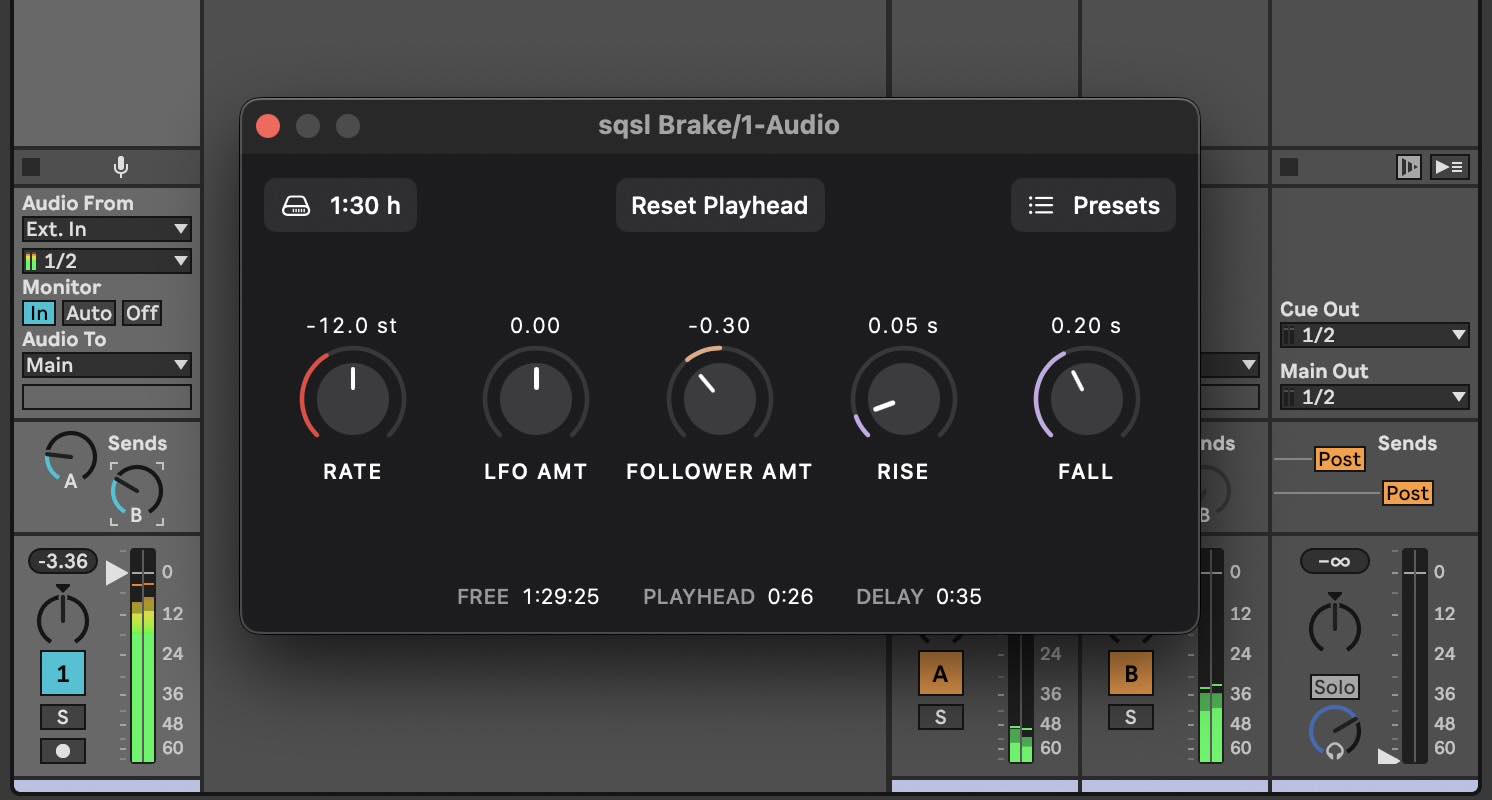
sqsl Brake slows down incoming audio (for example live microphone/line input). There is no pitch correction: slower playback sounds lower, the output audio is getting delayed further and further behind the input.
It works as an AUv3 audio effect in a host app and as a standalone app. Available for iPad, iPhone and Mac with one universal purchase.
Parameters
- RATE: playback speed, from 0 st (original speed) down to −24 st (1/4 of the speed).
- LFO AMT: how much the LFO's output is affecting the rate.
- FOLLOWER AMT: how much the envelope follower's output is affecting the rate (the follower listens to the slowed output so it reacts to its own changes).
- RISE: LFO rise time and follower attack, 0.033 to 3 seconds.
- FALL: LFO fall time and follower release, 0.033 to 3 seconds.
The modulated rate always stays between −24 st and 0 st.
Notes
- RESET PLAYHEAD syncs the current playhead position to currently the incoming audio and clears the previously captured recording from disk.
- The output is 100% wet (the input is not mixed in).
- Audio that has been played is being continuously deleted from disk to free space (only the part still waiting to be played takes space).
Recording space
- Choose how much unplayed audio may wait on disk: 30 minutes, 1:30 hours or 3 hours.
- When it is full, recording stops and playback continues to the end of the recording. When playhead reaches the end of the recording the process starts over.
Presets
- Presets store the knobs and the recording space settings.
- The recording itself is not saved in presets or projects.
Controls (including RESET PLAYHEAD) can be automated and MIDI-mapped in the host.
Standalone app
The standalone app slows down the audio input of the device. It starts with the output muted, so the slowed sound can't feed back into the microphone. Use headphones and press Unmute to listen. Its presets are separate from the plugin's.