
The general idea of this sequencer is to try a concept where we have a row of 128 steps and several tracks (lanes) advancing through them. Each step has 4 parameters — pitch, velocity, trigger, and length — which are used to generate MIDI notes. We do not control exactly what value is assigned to which step, nor do we control precisely what the starting points, lengths, and advance rates of tracks are. The focus is more about when we change (evolve) the current state into a new situation, in which direction, and by how much.
sqsl Interplay
Experimental MIDI sequencer
Download on the App Store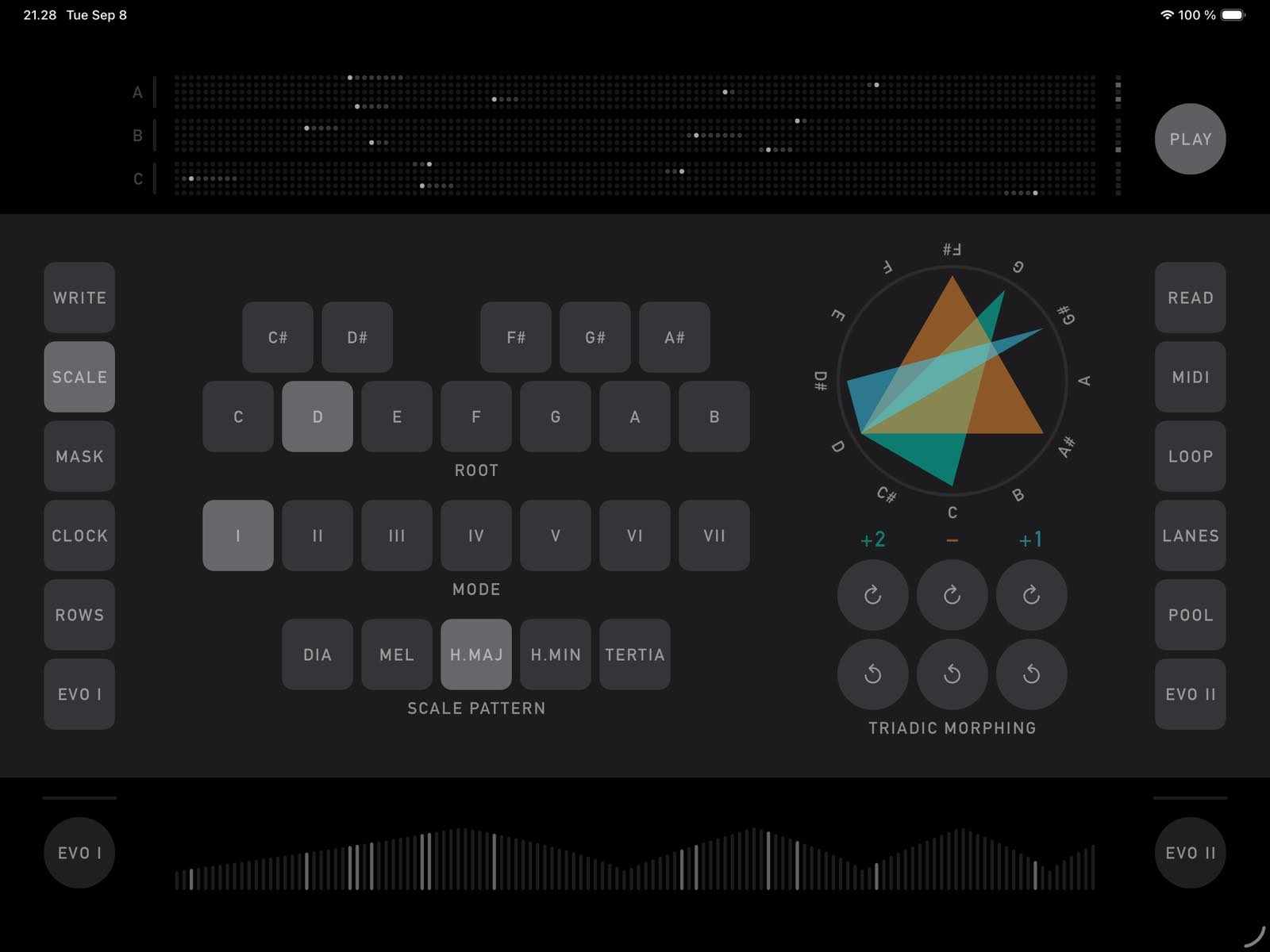
SCALE page
This is where you set the scale to which all the outgoing notes will be matched. The base scale is set using Root, Mode, and Pattern. The base scale can be modified using Triad morphing. Let's consider that all 7-note scales can be built using 3 triads with one note in common — that will be our root. By rotating one (or more) triad(s), we can evolve/modify the scale pattern, but at the same time, the interval relationships of its building blocks (3 triads) are preserved.
When a triad is rotated, its pitch intervals do not change — what changes is only which note aligns with the root position.
Note: the scale and triads are only a starting/departure point for the quantizer — the notes are further filtered through the Degree Mask on the MASK page.
Triad Morphing/rotation can also be triggered by one of the evolution engines; however, there are only two possibilities: 1) if the current rotation is 0, 0, 0, then one of the triads is rotated; 2) if the current rotation is not 0, 0, 0, then the rotation is reset to 0, 0, 0.
MASK page
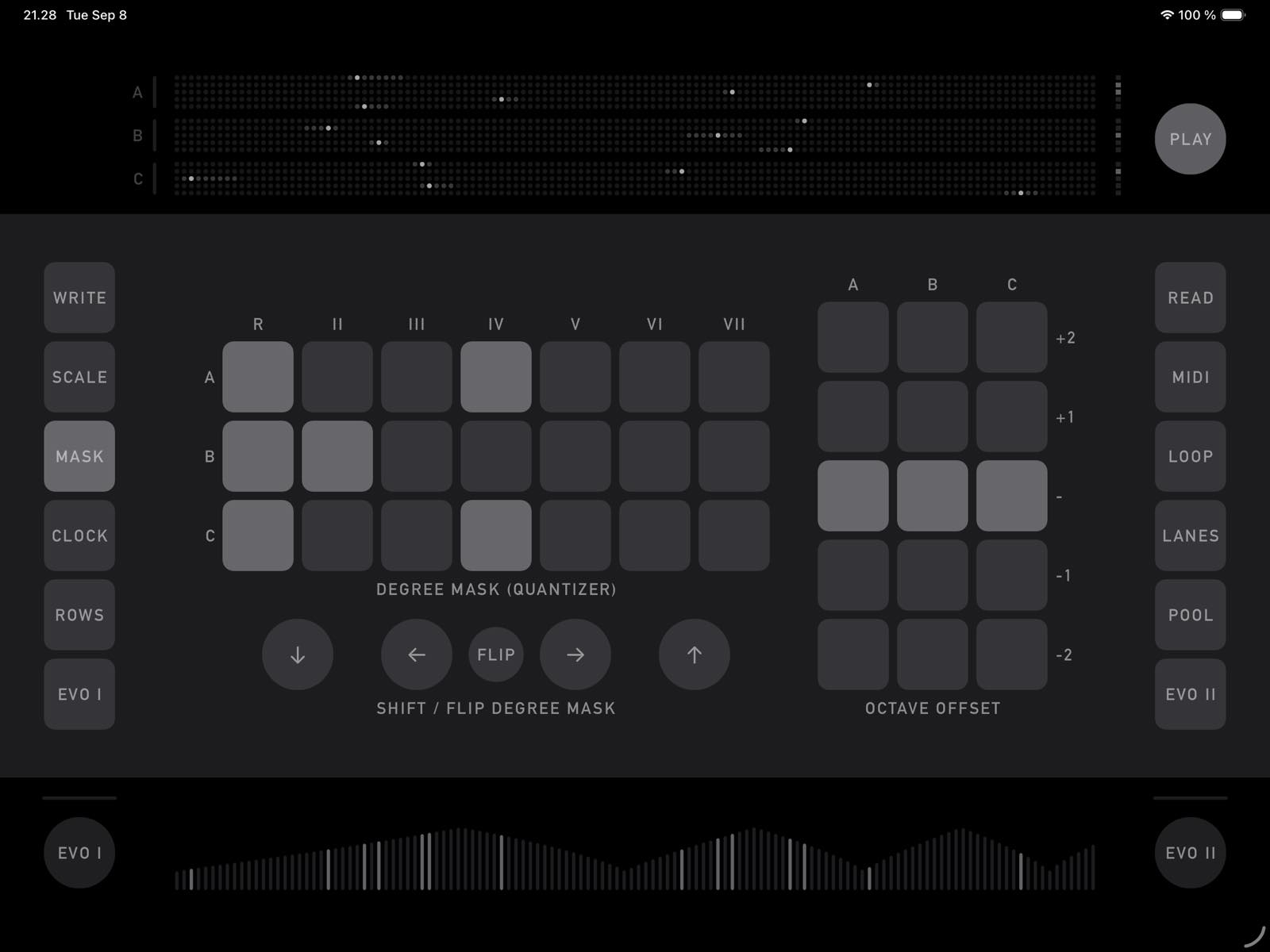
On this page, we can decide which degrees of the scale will actually be allowed to be sent out, and whether the notes will be played 1 or 2 octaves higher or lower.
Degree Mask and Octave Offset are set for each group (A, B, C) separately. Degree Mask settings can be rotated (exchanged among groups), mirrored horizontally/flipped, and shifted left and right. Those operations (Shift/Flip) can also be triggered by one of the evolution engines.
Sometimes, when triads are rotated, they share more than the root note, so technically the scale will contain fewer than 7 degrees — but degrees are considered as if the triads were not aligned, meaning some degrees will have the same note assigned.
If a group has no degrees activated, there is no output from this group (as if it were muted). The same applies to Octave Offset.
It is possible to select more than one position for Octave Offset — in that case, the process selects and applies one of them randomly.
CLOCK page
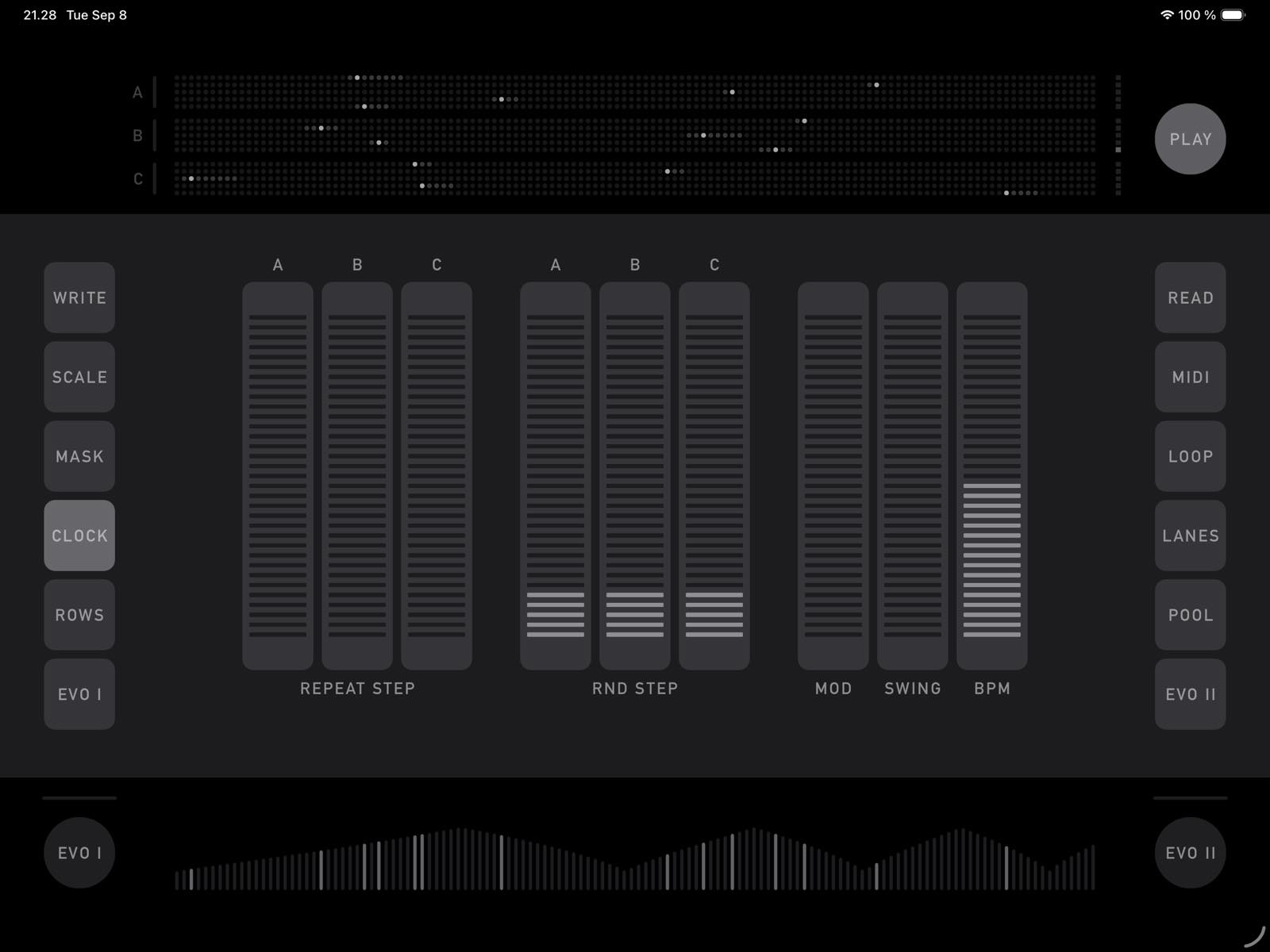
On this page, we can find the main settings for the source Clock and 2 parameters that affect how the sequences (lanes) advance — Repeat Step and Random Step.
The Repeat Step parameter (separate for each Group) is the probability that the sequence will not advance / that the same step will be repeated. The Random Step parameter sets the probability that the lane will output some random step from the lane's current range (the playhead position is internally preserved, though).
BPM settings set the base Clock rate; Mod will increase the Clock rate — the amount of rate increase is directly linked to the pitch value output of the first lane of group A.
Swing applies a slight delay to every second note (the exact amount and note position are based on the divider of 2).
ROWS page
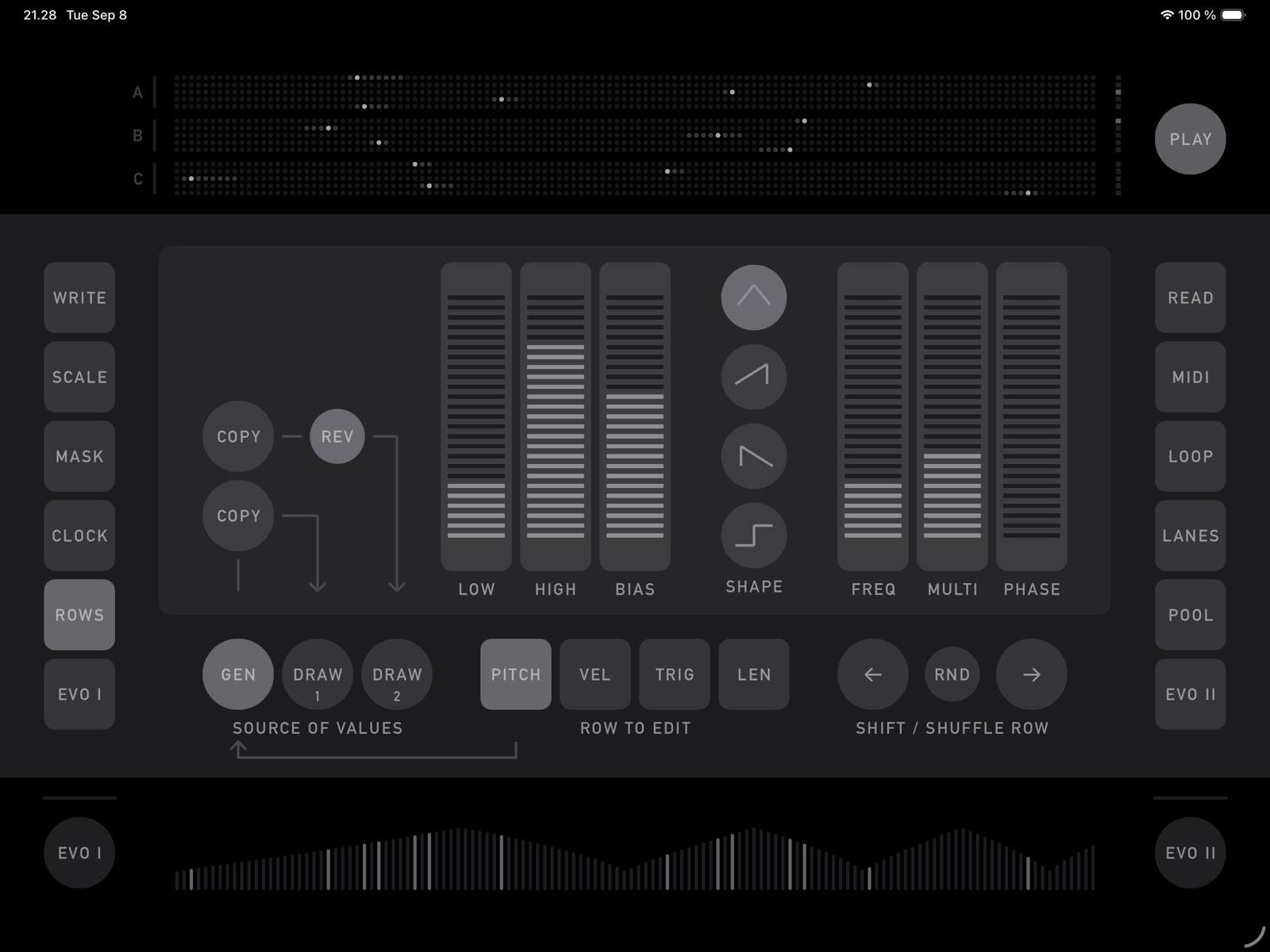
This page is where we can set the values for Pitch, Velocity, Trigger, and Length. For each of those parameters, there are 128 values (positions) that the lanes run through.
The Pitch value is used in combination with the quantizer (scale, triads, degree mask, and octave offset) to determine the final note pitch.
Velocity is used to determine the output note's velocity in combination with the Velocity Multiplier settings on the LOOP page.
The Trigger value is compared to the Gate Threshold parameter (LOOP page) — if the threshold is higher than the current trigger value, a note will be sent out (unless the group is muted — no degree active, no octave offset, or no MIDI channel assigned).
The Length value determines the duration of the note in combination with the Divider settings of the group.
There are 2 ways to set the values: 1) generate them as a function (GEN), or 2) finger-DRAW them directly on the screen. As soon as the GEN / DRAW 1 / DRAW 2 screens are switched, their respective values are taken into use.
Generation is based on a periodic function with progressively increasing frequency. The Shape parameter sets the shape of the "wave," Frequency (FREQ) sets the starting frequency, Multiplier (MULTI) sets the acceleration, and PHASE shifts the phase of the wave.
The other controls are used to set the range of the values (lowest/highest — LOW/HIGH) as well as the distribution (BIAS — moving values within the range toward the higher or lower edge).
Generated values can be copied to the Draw screens to serve as a starting point.
If the Square shape is selected, the amplitude of each period is randomly decided; the randomization is preserved when shapes are switched again — tap Square when it is already active to re-randomize.
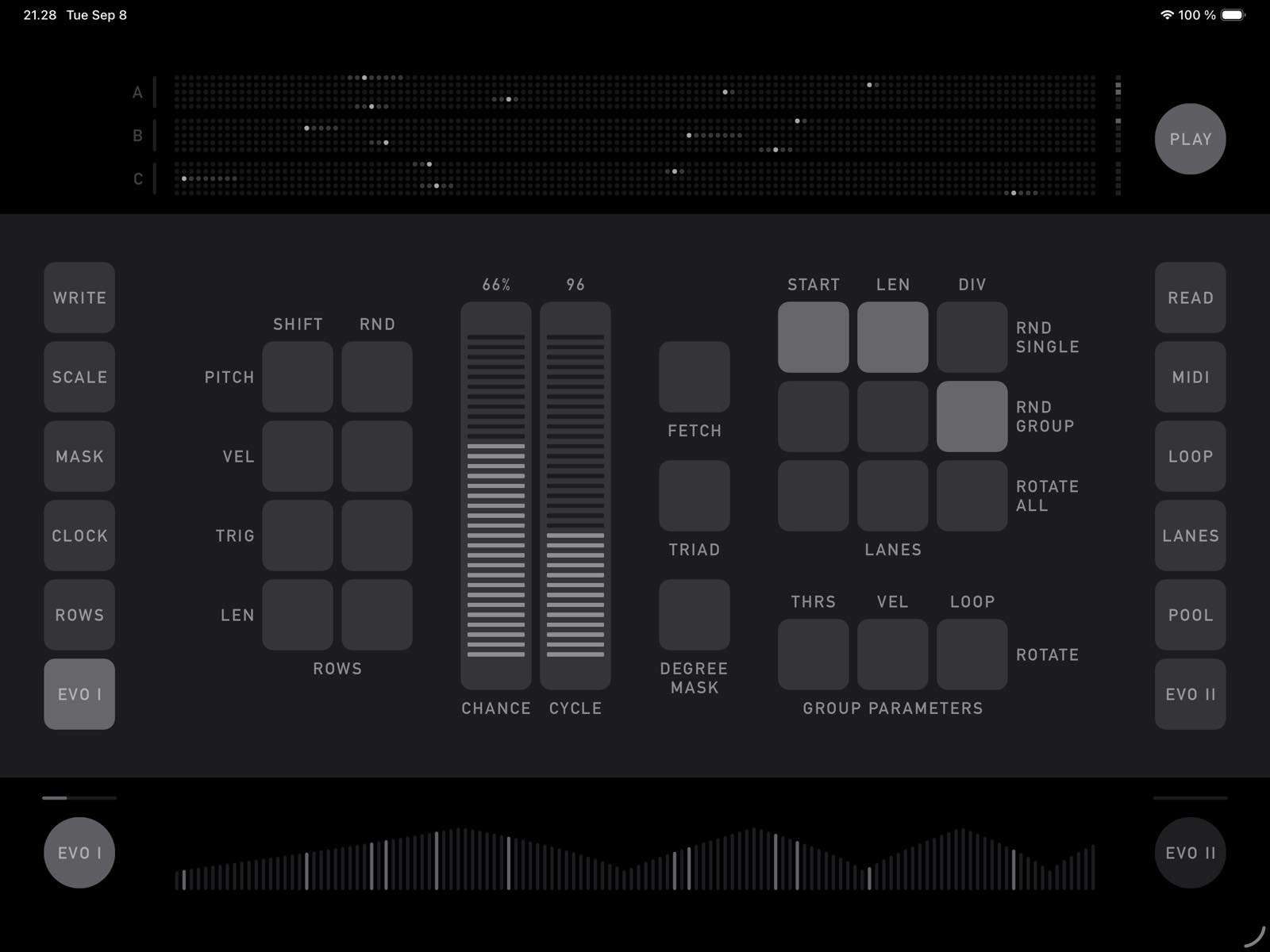
EVO I page (and EVO II)
Evolution is used to automatically trigger certain operations (such as swapping the Degree Mask across groups, toggling the Randomize function for Row parameters, or randomizing the Start of all lanes in a group).
This page sets how often the evolution is triggered and which operations are considered. CYCLE sets how often evolution evaluates the CHANCE (probability) parameter, and eventually triggers.
Evolution has to be enabled (round button underneath) in order for its counting clock to advance; the progress is displayed as a line above. When evolution is triggered, the name of the operation executed is displayed next to the progress line.
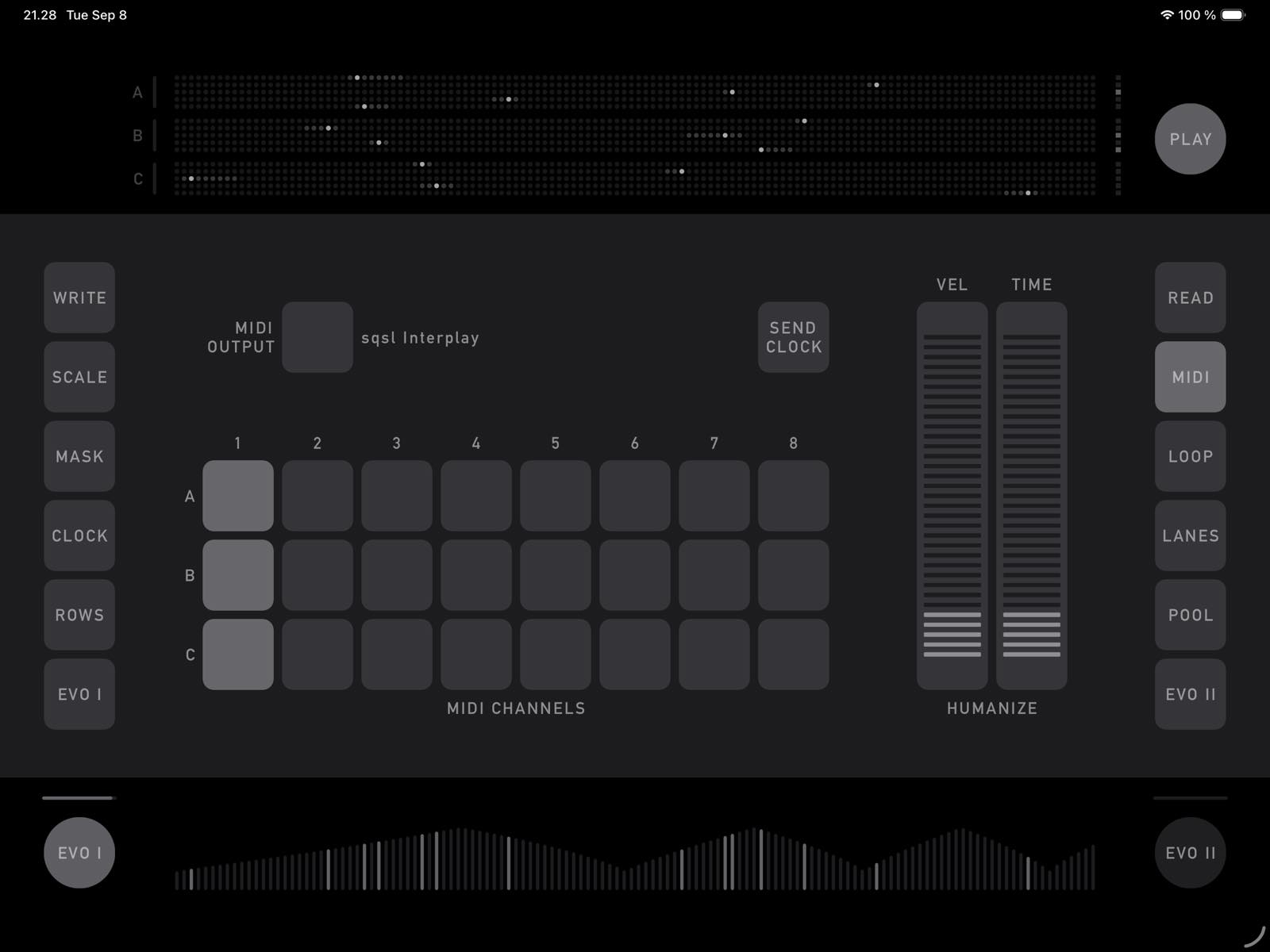
MIDI page
Set MIDI output, MIDI channels, and Humanization on this page.
Tap MIDI OUTPUT to switch to the next output (outputs are scanned when the app is started — if you don't see the expected target, restart the app).
MIDI Channels set the channel used for each group's output. Multiple channels can be selected for each group; in that case, the final channel used is decided randomly for each note (from the activated channels). If no channel is selected for a group, the group's output is muted.
Velocity and Time parameters add random variations to the notes' velocity and the notes' delay (delay time is calculated from the current clock's interval / divider of 2).
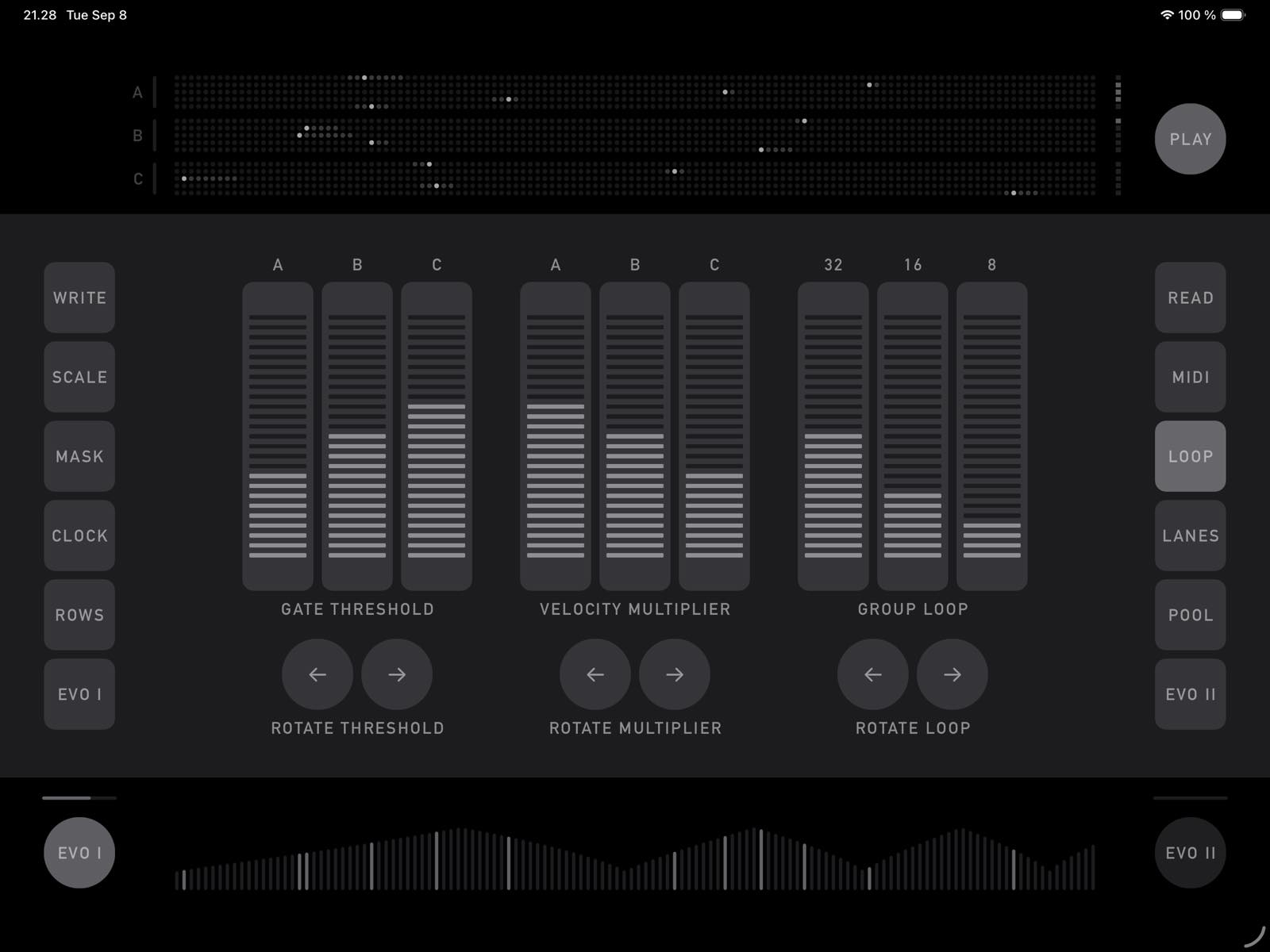
LOOP page
Three parameters are on this page: Group Loop, Velocity Multiplier, and Gate Threshold.
Group Loop sets the number of clock pulses after which all the lanes in a group are set to begin from the start (reset). If Group Loop is set to 0 / OFF, the lanes are not reset — since each lane can have a different divider, clock, and number of steps, they can result in non-repeating patterns (sort of).
Velocity Multiplier affects how much the values from the Velocity Row affect the output notes' velocity.
Gate Threshold is compared to the value from the Trigger row and is used to decide whether a note is sent or not.
These parameters can be rotated across groups; rotation operations can be triggered by evolution.
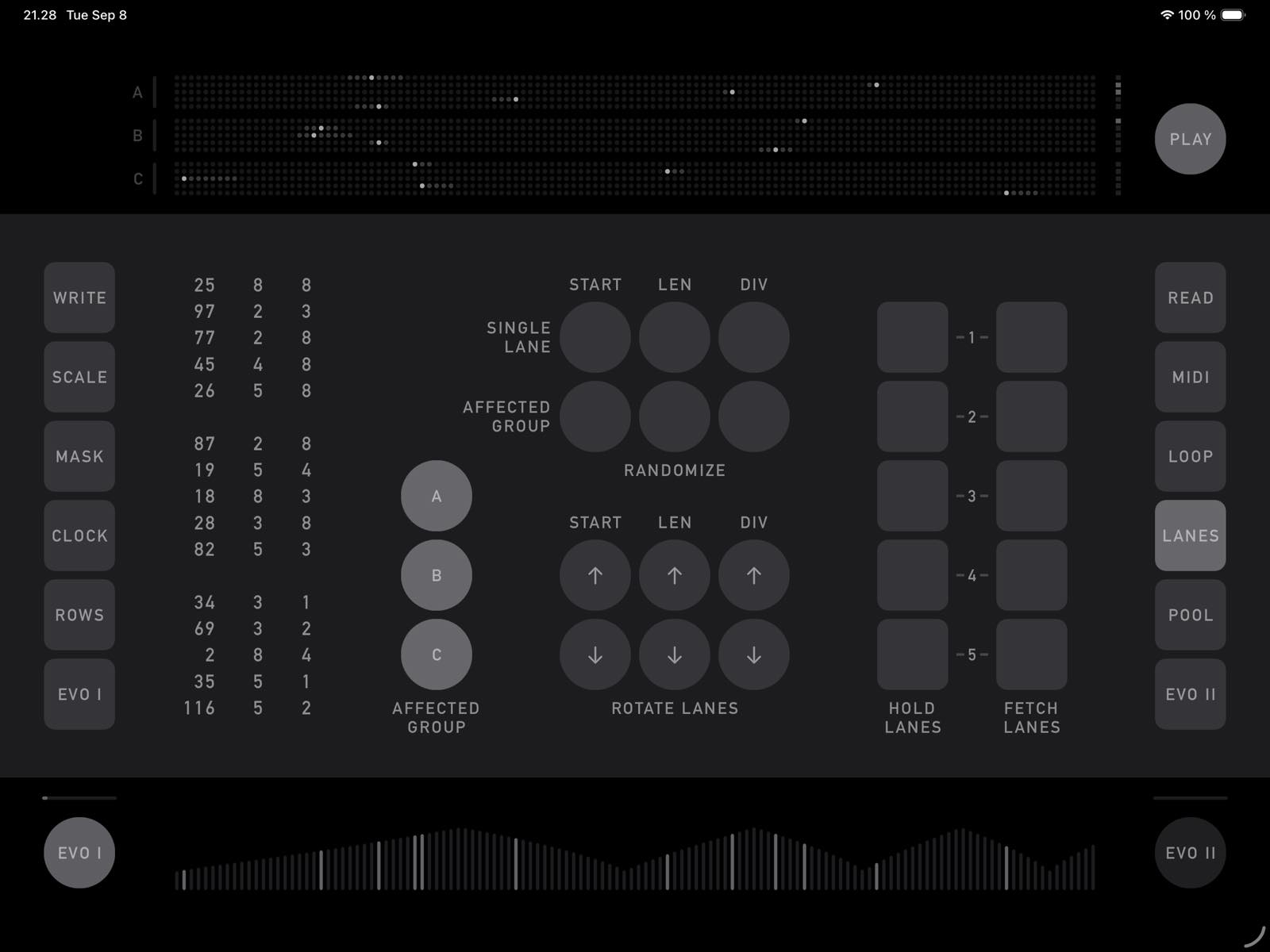
LANES page
This page is where we control the start position (first step), length (number of steps), and clock divider (integer division of the source clock) for the lanes (tracks). There are 15 lanes in total, divided into 3 groups (A, B, C). The upper part of the screen shows the current lanes' state. Currently active steps are highlighted; values that correspond to those step positions (and are being used to generate the output notes) are highlighted on the bottom part of the screen (only one parameter is shown — if Pitch is selected on the ROWS screen, pitch values are displayed, etc.).
There are several actions that can be done to modify the current lanes' state:
- Start, Length, or Divider of a single lane can be randomized
- Start, Length, or Divider of lanes within Affected Groups can be randomized
- Start, Length, or Divider of lanes within Affected Groups are exchanged/shifted (e.g., the start of the first lane becomes the start of the second lane, the divider of the first becomes the divider of the second, etc.)
Start and Length settings are visible on the dot grid on the upper part of the screen or can be read from the numerical readout on the left — the current divider setting is seen only on the readout.
Current settings are displayed on the numerical readout on the left and can also be seen on the dot grid in the upper part of the screen (except divider).
When Start, Length, and Divider values are randomized (whether by the user or from evolution), the result is pulled from the POOL — the user can set what ranges/what possible values are considered by the randomization (see POOL page).
Note: When Rotation or Randomization is triggered from evolution, it ignores Affected Groups and always considers all 3 groups.
There are 5 slots that can be used to store (HOLD) and reload (FETCH) the start, length, and divider state of all lanes. When Fetch is triggered but nothing has been written into that slot, random values are generated and written to that slot. HOLD will hold all the groups, but FETCH only reads and updates values for Affected Groups.
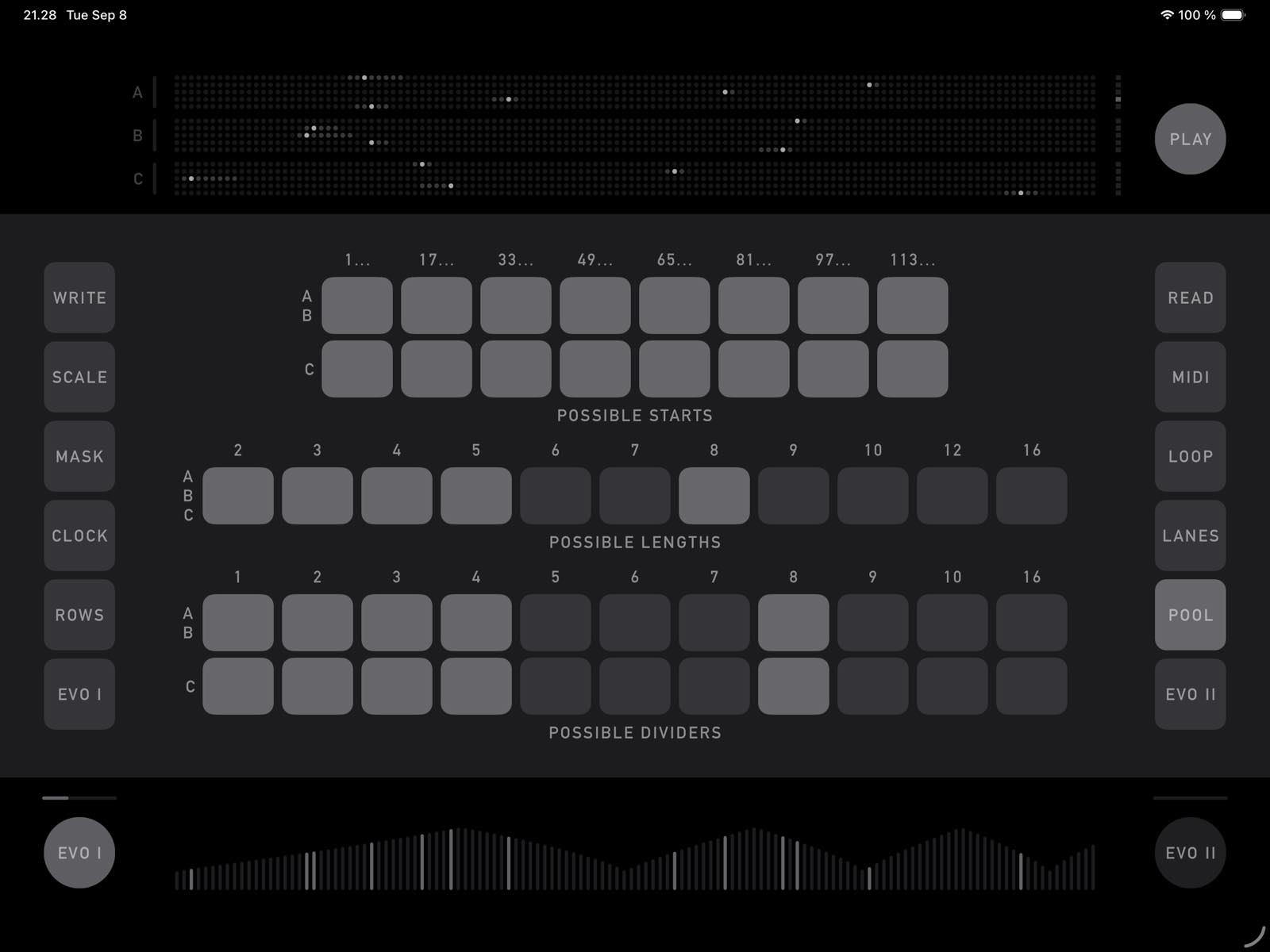
POOL page
This is where we set the possible values that are considered for randomization of Start, Length, and Divider for the lanes. The Length pool is the same for all groups; Start and Divider have two pools — one for group AB, and a separate pool for group C.
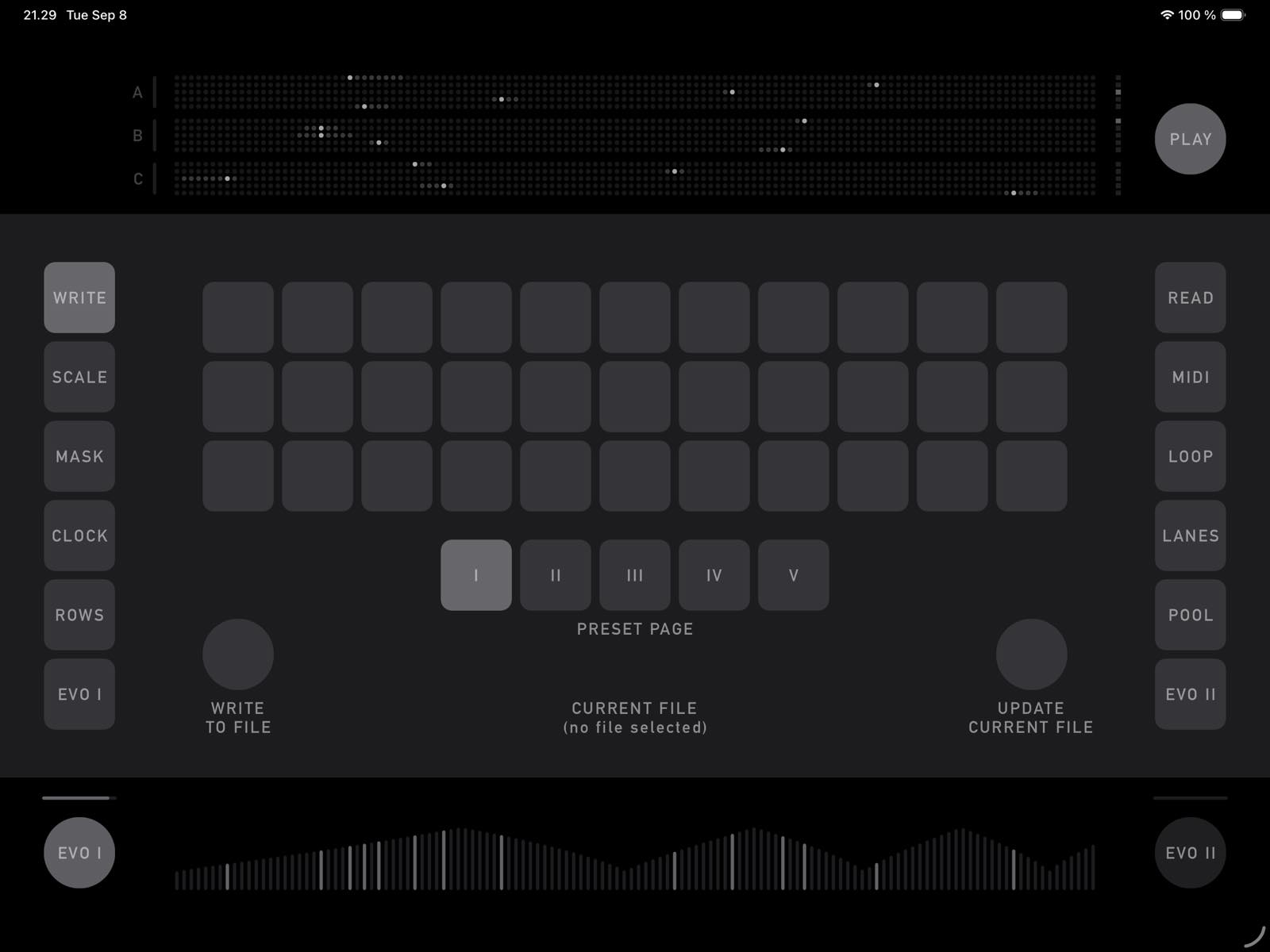
WRITE page
All settings and parameters (except MIDI Output and Clock Send) can be saved into a preset position internally within the app, or saved to an external file (WRITE TO FILE). The last file that was loaded or saved becomes the current file and can be updated (overwritten) using UPDATE CURRENT FILE.
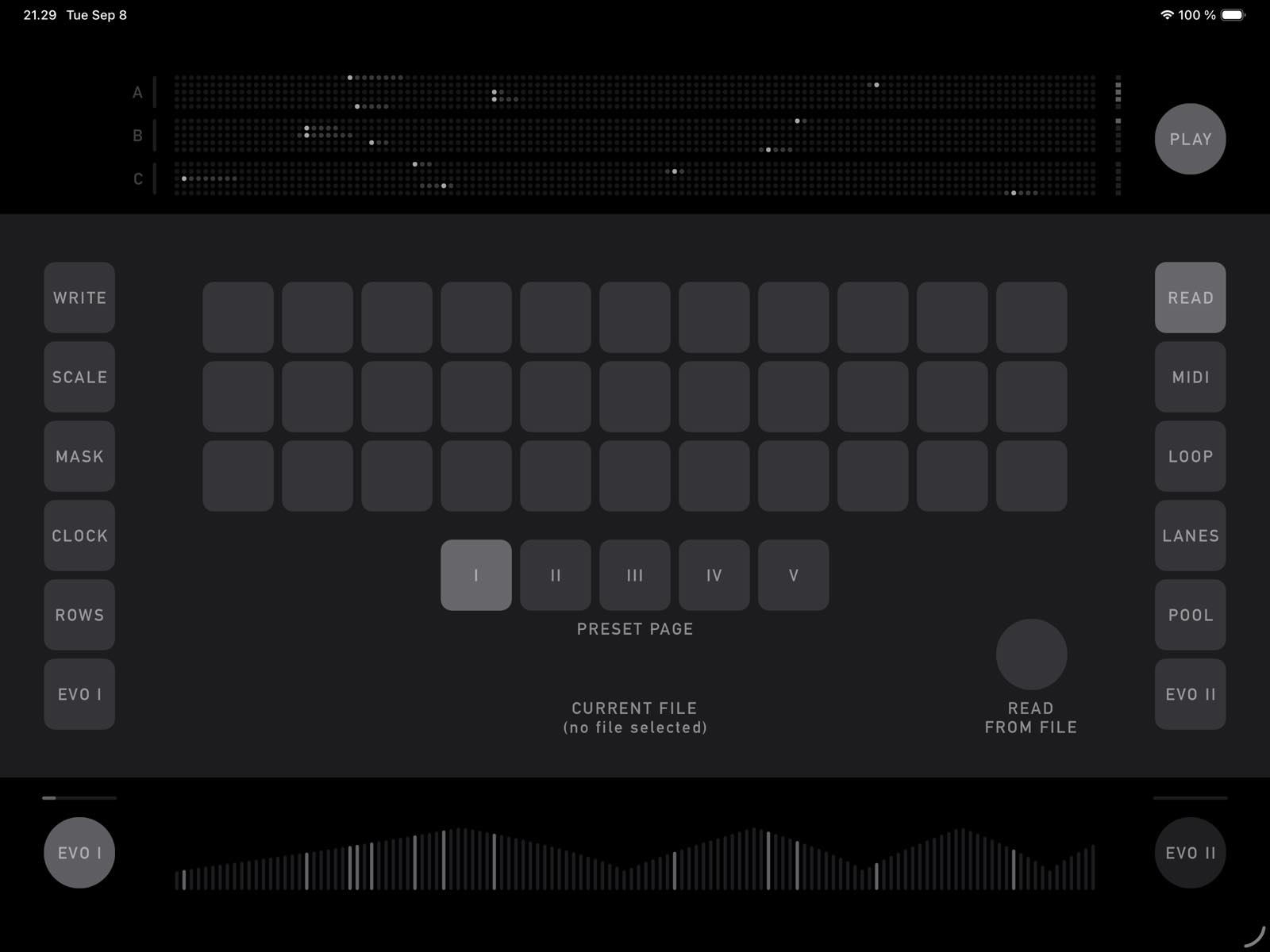
READ page
Page for reading presets from files or internal preset slots.