sqsl Gener8or 

Preset spawner tool for Rossum Electro-Music Assimil8or.

Available on App Store (macOS 13 min.)

Please note that this software is a third-party product unrelated to Rossum Electro-Music LLC.

How to use it:

1/ make a preset on Assimil8or

2/ copy the preset file to your Mac (macOS 13 minimum)

3/ run Gener8or

4/ select your preset and a folder full of samples

5/ select some destination directory (to create a new one, press Shift + Command + n while selection dialog is open)

6/ press “Gener8 128”

7/ Gener8or will create 128 new presets using samples from your selected "samples folder", keeping the parameters and CV assignments as in source preset

8/ new presets and samples will be conveniently copied to destination folder so you can transfer it to your SD cards/Assimil8or

Split mode: option to assign different sample folder for each channel pair (1|2, 3|4, etc…). For example channels 1 and 2 could only use kick or bass samples, channel 3 and 4 snare samples, etc…

I personally used this will loops spreading 4 stereo channels x 8 zones. As mentioned in the Assimil8or's manual: if zones have assigned samples with same length, switching zones will not restart the sample - it will preserve the playhead position across zones. This behavior is also preserved when switching presets (manually or by CV).


sqsl White Keys

All the colors - scales and chords - for your keyboard-playing… effortlessly…

Available on App Store.


sqsl Temp

Conceptual ambient MIDI sequencer for iPad

Available on App Store.


sqsl Circle

Geometry-based MIDI sequencer/controller for iPad

Available on App Store.

sqsl Circle is an experiment - an indexed MIDI sequencer built around the idea of circular playheads advancing through a 2-dimensional (rotating) plane where dots (note triggers) are positioned.

CIRCULAR PLAYHEADS

In order to understand how Circle works, it can be compared to a classic “piano roll” concept.

In the case of a piano roll, the playhead is a vertical line advancing from left to right. Corresponding MIDI message is sent out when the playhead encounters a note representation. The pitch of the resulting message is directly related to the vertical position of the note on the piano roll. Depending on the note’s distance from the playhead’s starting location, the note will be triggered earlier or later (notes on the left are always triggered before notes on the right).

In the case of Circle, the playhead is represented as a circle growing from a point. Notes positioned closer to the playhead’s starting point will be triggered earlier compared to notes positioned further away. When the plane where notes are placed is rotated but the playhead’s starting location is fixed, temporal relations are altered - the pattern evolves. In Circle, it is possible to have multiple playheads propagating simultaneously.

INDEXED (vs NOTES with fixed pitch)

Compared to a piano roll where pitch is directly related to the vertical position of note representation, in Circle notes’ pitch is not related to their position on the plane (and can be changed at any time). There are two parameters of “notes” that are affected by their position in Circle - starting time and velocity.

Notes in Circle have assigned an index (from I to VII and a special type T). It is indexes I-VII that have assigned pitch values (and also note length). Type I-VII indexed notes result in MIDI message (Note On) when reached by playheads and type T indexed “notes” cause playheads reaching it to be restarted.

PITCH ASSIGNMENT

Pitch value of each index is set as an interval/distance in semitones from the previous index. In the case of index I, it is set as a distance from the ROOT value. This means that changing the ROOT value will shift all pitches, and changing, for example, index III will also offset all consequent pitches (indexes IV-VII).

The actual interval value for each index is set using 3 buttons. The first represents 1 semitone, the second 2 semitones, and the last is 4 semitones. The resulting interval is the sum of activated buttons (0 up to 1 + 2 + 4 = 7 semitones). The same applies to octaves; however, the final octave value of each note can also be modified by playheads.

It is also possible to set pitches of indexes as one of 5 predefined interval patterns (scales) and their 7 rotations (modes).


sqsl Tactile

MIDI CC controller for VCV Rack

sqsl Tactile is a multi-touch MIDI CC controller app designed to work with VCV Rack (MIDI CC-CV module) and Reaktor blocks.

Designed for iPad (works also on Mac computers with Apple silicon / Ventura minimum).

Available on App Store.

sqsl Tactile sends out 16 CC messages on MIDI channels 1 and 2:

  • 16 values sent out on channel 1 result from the distance between detected touch positions and control points.

  • 16 values sent out on channel 2 result from the angle between detected touch positions and control points.

Control points can be organized in different forms (FORM):

  • randomly,

  • in a line,

  • in a circle,

  • in an arc,

  • in an S-shaped form.

A single gesture can be recorded (REC) and played back (PLAY) at a custom rate. Note: activating the REC button will only “arm“ the app; the actual recording starts only when some touch is detected.

The plane where control points are placed can be rotated (SPIN), and the rotation speed is adjustable.

Current touch points (resulting from physical interaction) can be held/frozen (HOLD).

sqsl Tactile is a standalone application designed for iPad but it will also work on Mac (excluding multi-touch capability). To toggle HOLD function on Mac press TAB key.


sqsl Strips

MIDI CC controller

Available on App Store.


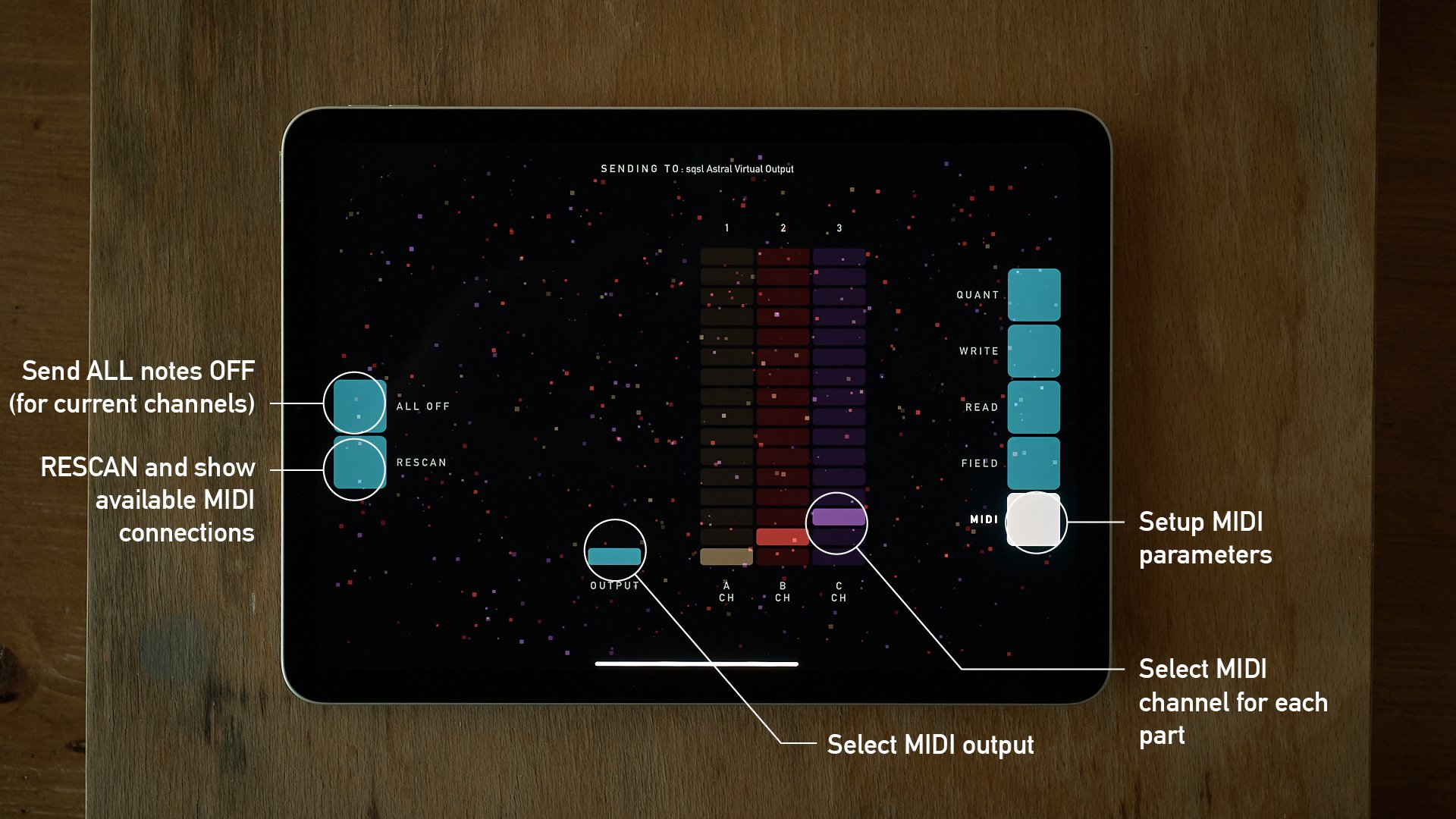
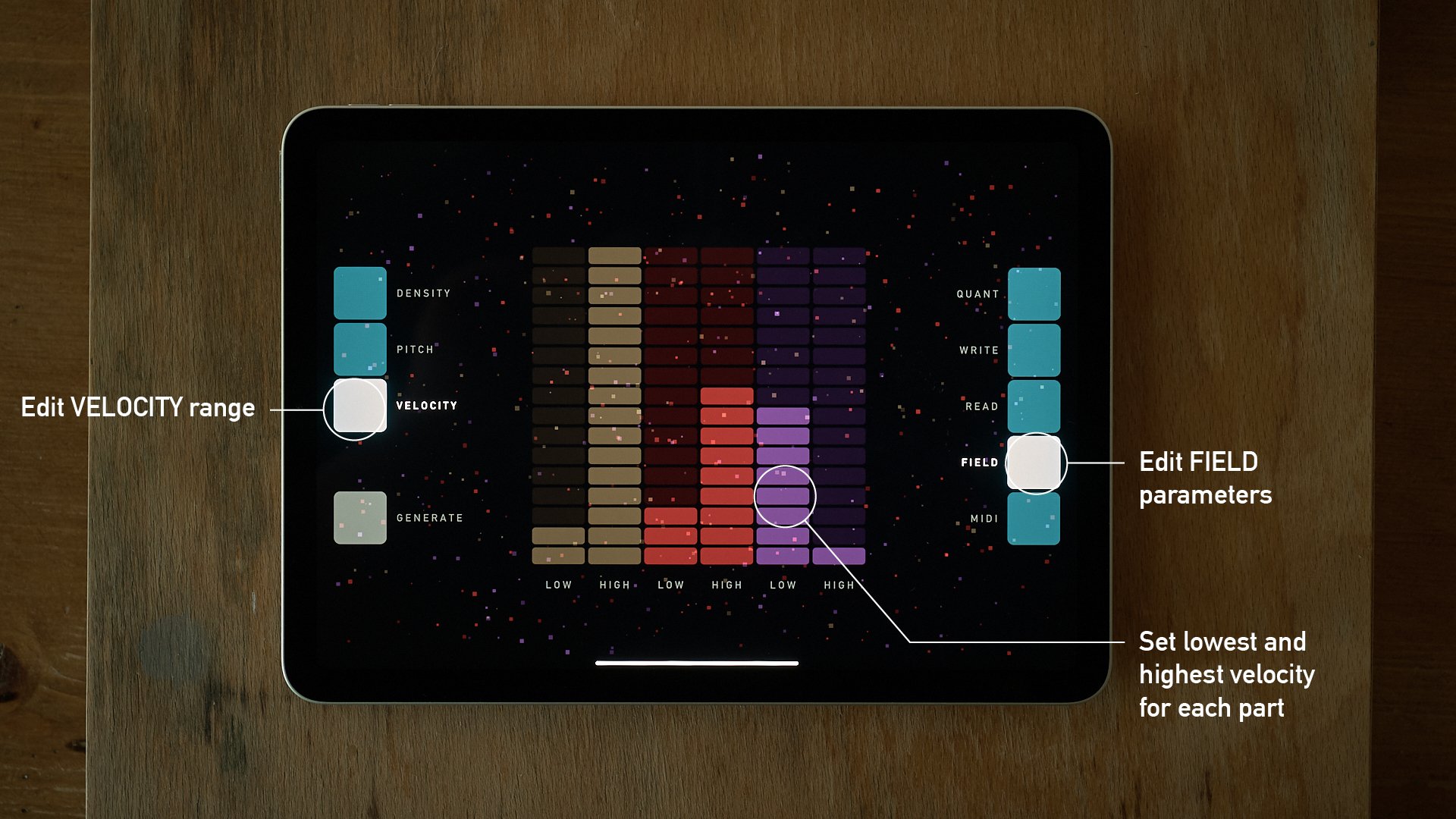
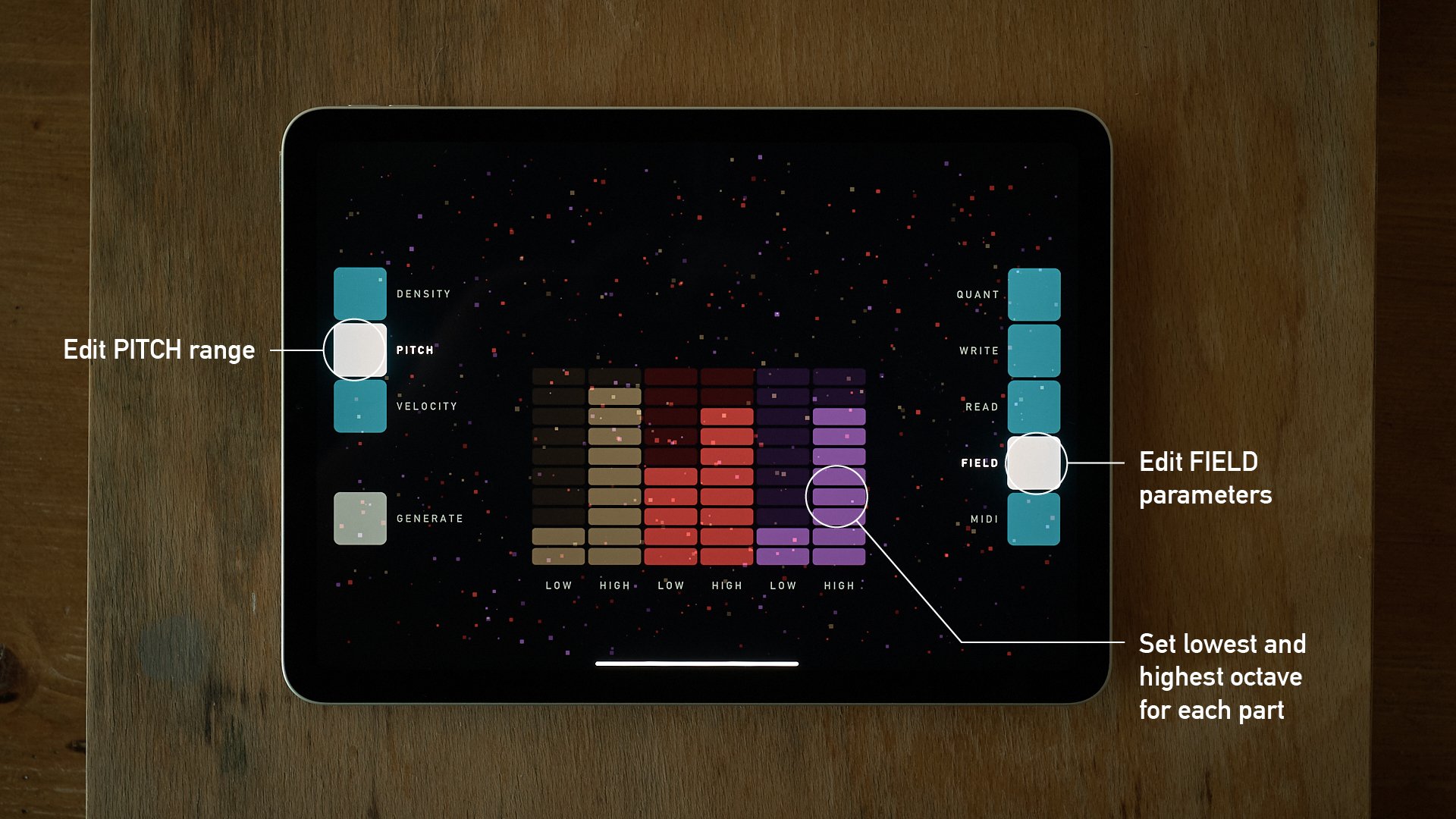
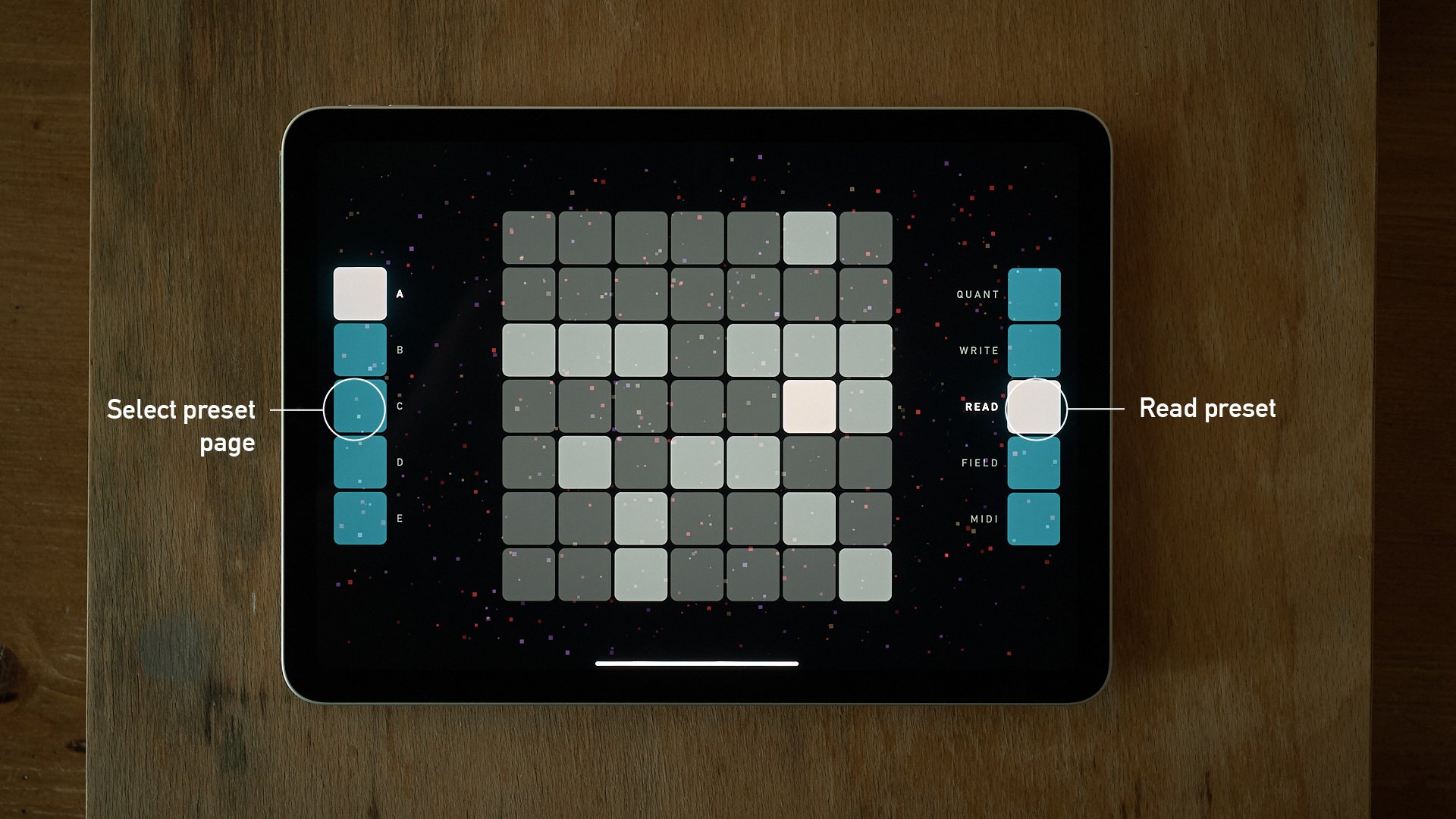
sqsl Astral

MIDI controller inspired by night sky (and “pitch class inversion” method for moving across harmonies)

Available on App Store.